
Blog
BRD / BreadWallet Shut Down? How to Recover It

In short
BRD, formerly BreadWallet, is no longer maintained. Recovery therefore depends on the material you kept and a compatible destination wallet, rather than getting the old app running again. A 12-word phrase can restore its derived accounts, but the destination must match the asset, network and account settings.
Preserve the original device, app data and phrase backups before changing anything. Find a known receiving address so you can verify a restore instead of judging it by an empty balance screen. BRD’s historical Coinbase migration instructions are not proof that the same import route remains available today. If words are missing, describe what remains for assessment without sending the phrase itself.
If BreadWallet or BRD no longer opens, do not enter the recovery phrase into the first product you find. Preserve the original device, app data and backup, then identify the networks and account settings that the wallet used.
The shutdown of an app does not itself move assets recorded on a blockchain. BRD retired the app in March 2022, and its shutdown communication pointed users to Coinbase Wallet. That historical route is not proof that every account will import into a current product today.
This guide explains what to preserve and how to verify a restore without exposing the recovery phrase.
Why BRD Wallet Shut Down
BreadWallet was renamed BRD and was later acquired by Coinbase. The app was retired in March 2022. Users were directed to Coinbase Wallet at the time, but products and import options have changed since then.
The keys did not disappear when the app was retired, but the app's exact settings did — and a recovery only works when it reproduces BRD's original asset, network, derivation path and account structure. BIP-39 compatibility alone is not enough: MetaMask, for example, is not a generic route for recovering Bitcoin.
BRD Wallet Recovery
The shutdown notice pointed users to Coinbase Wallet, but Coinbase's own products and import options have moved on since then, so that route cannot simply be followed as written today. The checklist below is how to preserve what you have and check compatibility before trusting any balance a new wallet shows.
Preserve the original material before choosing software
- Keep the original BRD device, app data and every copy of the recovery phrase unchanged.
- Record which assets and networks were used, and find a known public receiving address for each relevant account.
- Check the current official documentation of any destination wallet for the exact asset, phrase format and account type.
- Restore only on a clean device and compare a derived address before moving assets. Never enter the phrase into a website, form or chat.
Choosing a compatible recovery route
A valid phrase can still open a wallet that looks empty if the asset, network or derivation path doesn't match, so do not assume a wallet is compatible merely because it accepts 12 BIP-39 words.
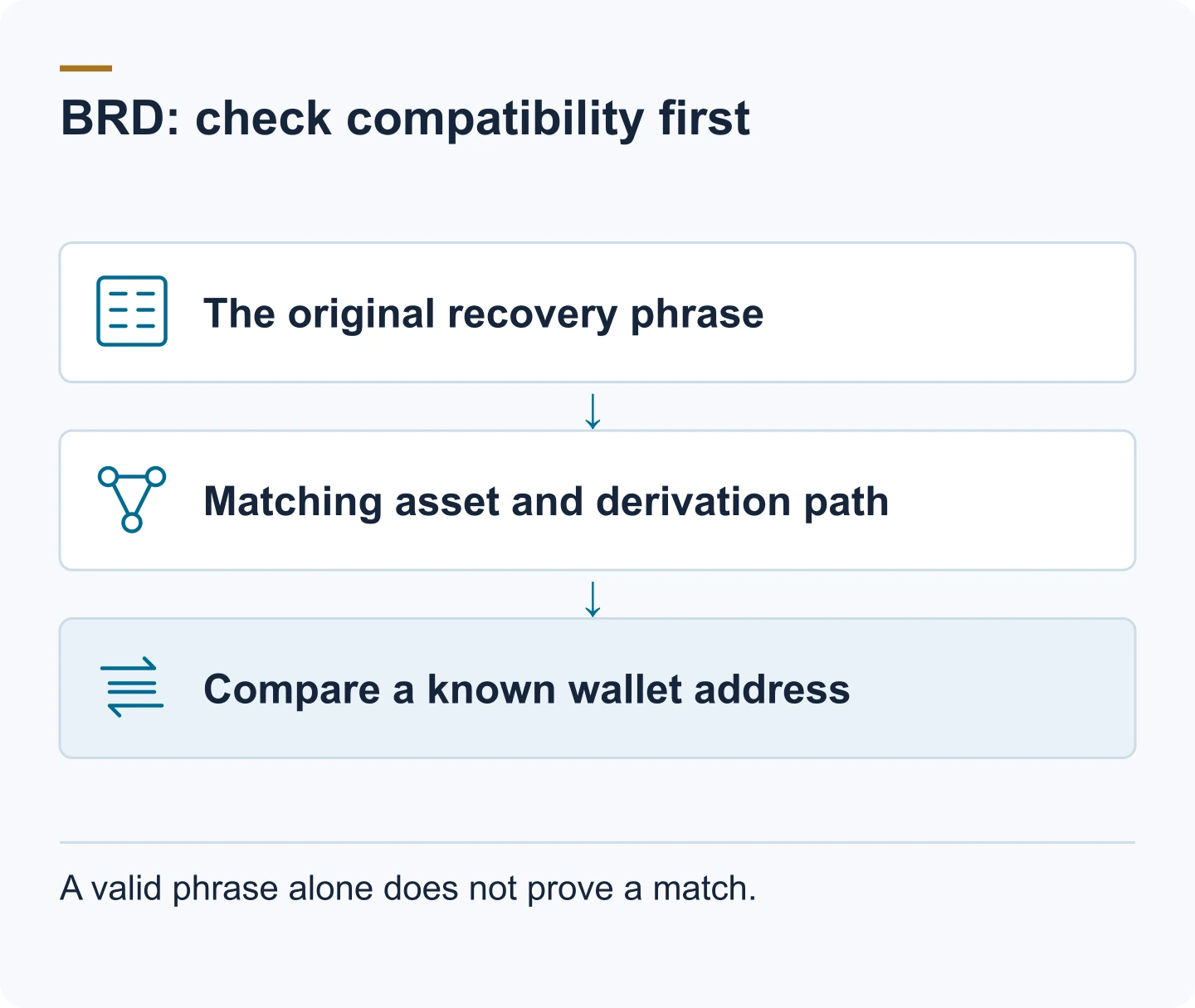
Follow the preservation checklist above before choosing software, then confirm the destination wallet's own documentation actually supports what BRD used — the asset, the phrase format and the account type. Coinbase's own products and import options have changed since the original migration period, so an old migration guide or a product-specific derivation table may no longer match what the current app does. If direct import is not available, use a wallet whose current documentation explicitly supports the required asset and backup format.
When the BRD restore does not go to plan
A few problems come up often enough to cover directly.
An "Invalid Phrase Entered" message is almost always a transcription error, not a lost wallet: check that you have exactly 12 words in the order you received them, and verify each one against the BIP-39 word list for a typo or a swapped pair. A couple of wrong or missing words can often still be assessed; a phrase that is completely lost cannot be rebuilt by anyone.
A zero balance right after a restore is usually the wallet's view, not the funds: the phrase went in correctly, but the wallet connected to the wrong blockchain network or used a different derivation path than BRD did — a common mismatch when moving to a new wallet.
A wallet that won't migrate is typically a connection or version problem: confirm the internet connection is stable, update to the latest version of the software wallet, and restart the app or try a different network before assuming anything worse.
FAQ: BRD Wallet
What happened to my crypto assets after the BreadWallet shutdown?
Your crypto was not deleted or lost when Bread(BRD) Wallet shut down. It is stored on the blockchain. As long as you have your 12-word recovery phrase, you can restore access using a compatible wallet. If you are not able to recover funds, Crypto Recovers may assist.
What happened to BreadWallet?
BreadWallet was rebranded to BRD Wallet and later acquired by Coinbase. The app was retired in March 2022, and users were pointed to Coinbase Wallet as the migration route.
How do I recover BreadWallet?
First identify the assets and networks the BRD wallet used and find a known public receiving address. Then check current official import documentation for a wallet that supports the relevant asset, phrase format and account type. A wallet accepting the phrase does not by itself prove that it derived the expected addresses.
Which derivation path do I need to recover BRD Bitcoin?
There is no safe universal answer without the BRD version and account type. Preserve a known Bitcoin receiving address and compare it against candidates derived under the route documented for that wallet. Do not rely on an old product table or enter the phrase into an online path checker.
What should I do if my recovery phrase is missing or incomplete?
Check first that you have exactly 12 words in the order you received them, and verify each one against the BIP-39 word list. Search every backup, old device, cloud note and handwritten record before anything else. If a couple of words are missing or the phrase is rejected, Crypto Recovers may be able to reconstruct the missing parts — but a phrase that is completely lost cannot be rebuilt by anyone.
Why are my assets not appearing after BRD recovery?
If your Bitcoins aren’t appearing after recovery, it may be due to using the wrong recovery phrase, a wallet that doesn’t support your specific crypto, or incorrect derivation paths. Your funds are likely still safe on the blockchain.