
Problem
Zero Balance After Restore
Zero balance after restoring a wallet? Check the backup, network, accounts and address history to distinguish a setup issue from funds that have moved.
Short answer
A zero balance after restoration can result from the wrong backup, passphrase, derivation path, account or network, or incomplete synchronization. It can also reflect funds that have already moved. Compare the restored addresses with a known address from the original wallet and check its transaction history on the correct network.
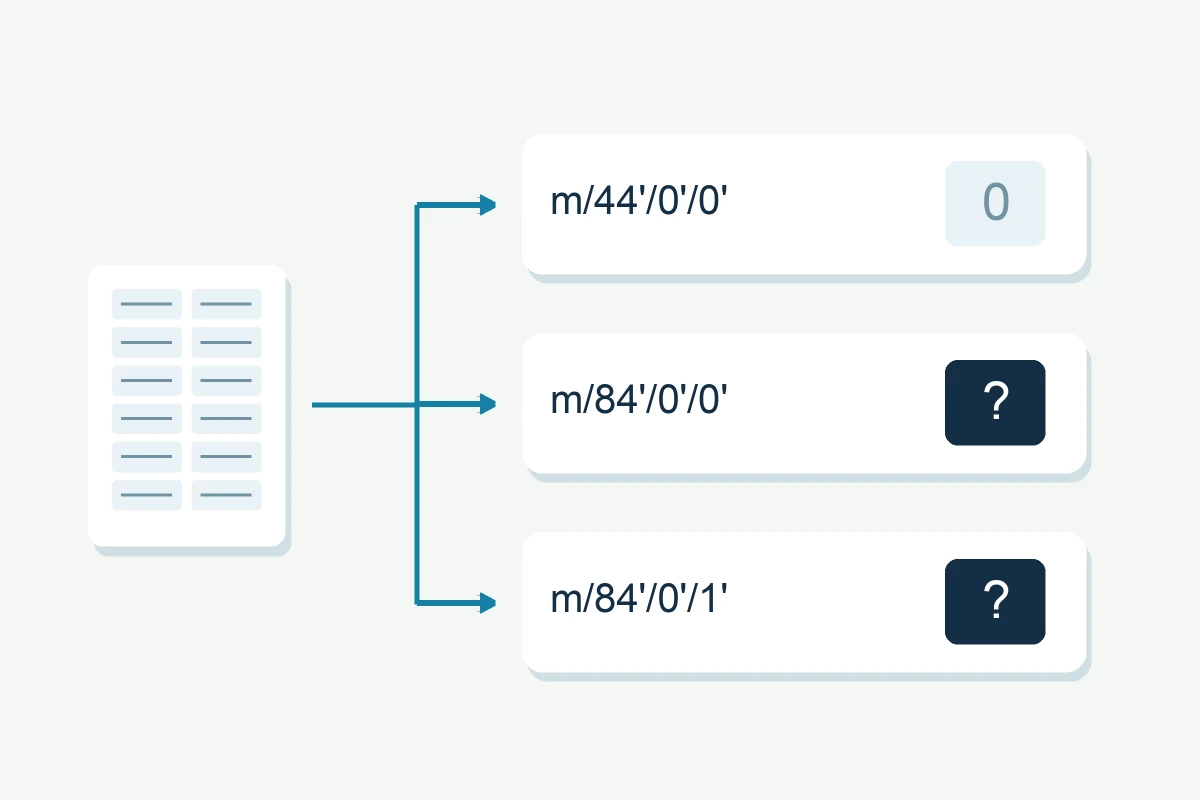
A zero balance after restoring a wallet does not by itself identify the cause. Check the backup, passphrase, network, accounts and synchronization, including the derivation path and address type. Compare a known original address and its transaction history before concluding that the issue is only the display.
The usual causes
- Wrong derivation path. The same seed can derive addresses under many paths: m/44'/0'/0' (Bitcoin legacy), m/49'/0'/0' (SegWit), m/84'/0'/0' (native SegWit), m/0' (native SegWit Electrum), m/44'/60'/0'/0 (Ethereum). If the wallet defaults to one path but your coins are on another, the balance looks empty.
- A missing passphrase. If the original wallet used a BIP-39 passphrase ("25th word"), restoring the seed alone opens a different, empty wallet. See forgotten passphrase.
- Sync or rescan not finished. Bitcoin Core shows balances only after the wallet has rescanned the chain; Daedalus and other full-node wallets must finish syncing first.
- A different coin or network. BTC vs BCH, ERC-20 tokens on the wrong network, or a wallet that supports multiple coins restored into the wrong one.
- Missing accounts. Automatic account restoration depends on the wallet and the recovery method. MetaMask’s Backup & Sync or social sign-in can restore accounts automatically; imported accounts and connected hardware wallets may need to be added separately, depending on the method used. See derivation and account discovery.
What to try yourself
- Let the wallet finish syncing or rescanning completely before judging the balance.
- In Electrum, first identify whether the phrase is an Electrum seed or an imported BIP-39 phrase. Modern Electrum seeds encode the wallet’s derivation method; for BIP-39 imports, use the original address type and derivation path. Check the version when restoring an older Electrum seed.
- In hardware-wallet software, add more accounts and extend the address gap: wallets only scan a limited number of unused addresses.
- Check the network and coin type, and try the seed with the passphrase you may have used.
- If nothing appears, check your known addresses: if you have an old transaction or a screenshot with an address, compare it with the addresses the restored wallet derives.
What the address history can establish
If the restored addresses do not match a known original address, review the backup and wallet settings. If the address does match but its balance is zero, check its transaction history: the funds may have been spent or transferred. Restoring wallet access does not reverse those transactions.
What not to do
- Before moving funds, establish which wallet, account and network you are viewing. A new wallet does not explain why the original balance is missing.
- Do not conclude the phrase is wrong just because the default view is empty.
- Do not pay for "balance recovery" from services that do not first explain derivation paths to you.
When professional help changes the outcome
When the derivation path is unknown, professional recovery enumerates the plausible paths and account indexes and matches them against your history — systematically, offline, on copies. The full method is in our derivation & account discovery guide.