
Knowledge base
Crypto Wallet Recovery Methods: The Five Routes Back Into a Wallet
Every wallet recovery is one of five methods: restore from the phrase, search the password, recover the file or drive, reset or repair the device, or reconstruct legacy/weak keys. This reference maps each method to what it needs and when it applies.
Short answer
Every wallet recovery is one of five methods: restoring from the recovery phrase, searching the wallet password, recovering the file or drive, resetting or repairing the device, or reconstructing legacy or weakly generated keys. Which one applies depends entirely on what material still exists.
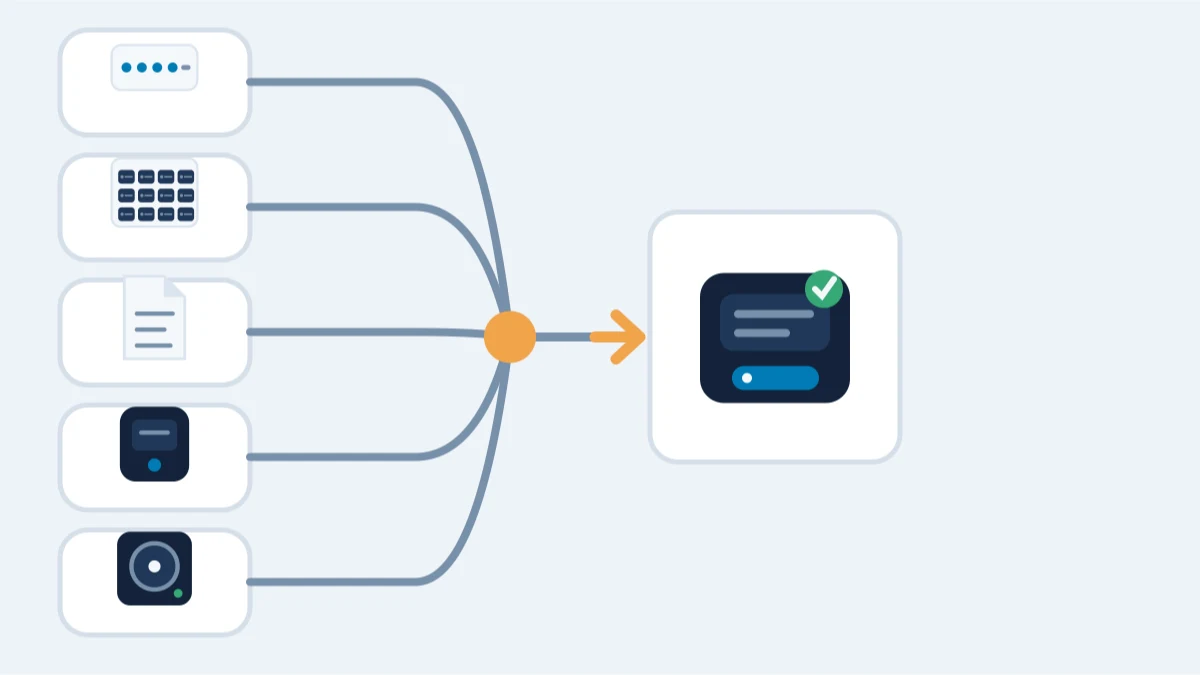
Wallet recovery is not a single technique. It is five methods, and every case is one of them, sometimes two in sequence (a damaged drive first, then a password search). Knowing which method your situation falls into is the fastest way to find the right route and the honest answer on feasibility.
1. Restore from the recovery phrase
What it needs: the phrase, or enough of it. A complete phrase restores the wallet in compatible software in minutes. A phrase with missing, wrong or reordered words becomes a reconstruction problem: the BIP39 word list and checksum turn it into a bounded search.
When it applies: the wallet used a seed phrase or mnemonic (most software and hardware wallets since ~2013).
When it does not: wallets with no phrase — Bitcoin Core, MultiBit Classic and other pre-seed wallets — or a completely lost phrase with no other material. See seed phrase recovery and incomplete recovery phrase.
2. Search the wallet password
What it needs: the encrypted file or device. The search tests candidates against the file's encryption on a copy; what you remember - fragments, patterns, years or keyboard layout - decides how large that search is.
When it applies: a wallet file, backup or device exists and the password is forgotten.
When it does not: no wallet file, backup or device — there is no encrypted wallet data to test. See password recovery, forgot wallet password and the brute force reference.
3. Recover the file or drive
What it needs: a drive, device or backup that still exists physically. Deleted files, corrupted wallet files and failing drives are often recoverable if nothing has overwritten the data.
When it applies: wallet.dat, keystore or backup files were deleted, corrupted or stranded on an old computer or dead drive.
When it does not: data that was overwritten or securely wiped; that is irreversible by design. See damaged wallet recovery, corrupted wallet file and safe handling of old drives.
4. Reset or repair the device
What it needs: the device and a verified backup, or a device that still works and can be preserved. A forgotten PIN may require a reset; repeated incorrect attempts can wipe some hardware wallets, so do not proceed without a valid backup. A broken screen or dead connection can sometimes be repaired or read with care.
When it applies: hardware wallets with a forgotten PIN or a damaged screen, buttons or connection. A forgotten passphrase is a separate problem - see the hardware wallet reference below.
When it does not: a wiped device with no backup; the key material is gone with it. See hardware wallet recovery and hardware wallet problems.
5. Reconstruct legacy or weakly generated keys
What it needs: identifying material from the era, such as an address, the software and version, or the approximate creation date. Some old wallets generated keys from predictable randomness, which means the key may exist mathematically even without the file or phrase.
When it applies: browser-based wallets from roughly 2011-2015 (the Randstorm window) and other documented weak-generation cases.
When it does not: wallets with proper randomness; a lost phrase remains lost. See legacy wallet recovery, Randstorm and the legacy wallet timeline.
Choosing the method
What still exists decides which method applies, and whether it is realistic. The recovery check helps identify the relevant route, and a free assessment turns your specific case into an honest answer, including a clear no when nothing remains.
Still locked out?
The first assessment is free, and it asks for no wallet secrets. Describe what you still have — a file, a phrase, a device, or what you remember — and we’ll tell you whether recovery is realistic. You only pay if the recovery succeeds.