
Blog
Lost Your Bitcoin Wallet Password? How to Recover It Using Tools

In short
A forgotten Bitcoin wallet password is recoverable only through the routes your wallet and surviving backups allow. First check whether the recovery phrase can restore access: it bypasses a local encryption password, but does not replace a passphrase used to derive the wallet.
If only an encrypted file remains, recovery means finding or testing the password, not resetting it through Bitcoin. Search saved records first, then organize remembered words, dates, keyboard patterns and likely variations into a focused candidate list. Tools such as btcrecover test supported formats offline against copies or suitable extracted data. Feasibility depends on the password’s uncertainty and the wallet’s encryption; extra computing power does not make every search practical.

The two routes into a Bitcoin wallet
Your Bitcoin wallet rejected the password, or you can't remember it at all. What happens next depends on which of two wallet types you have:
- Seed-phrase wallets (Electrum, Exodus, Trust Wallet, hardware wallets, most modern mobile wallets): the recovery phrase can restore the wallet in compatible software without the old local password. If a passphrase was used to derive the wallet, that is also required. In Wasabi, the password serves this role when one was set.
- File-based wallets (Bitcoin Core wallet.dat, old MultiBit, Armory, some desktop vaults): recovery depends on the wallet software and the backups available. If you have only an encrypted wallet file, its password is needed to unlock it. Some wallets also offer another recovery route—for example, an Armory paper backup can restore the wallet without the original wallet password.
If you're not sure which one you have, that's the first question to answer. The file format and the wallet software tell you.
The password cases, by wallet type
| Wallet | Password / PIN | What recovery needs |
|---|---|---|
| Bitcoin Core / Litecoin Core / Dogecoin Core | Encrypted wallet.dat (keys encrypted with the password-derived mkey) | The file (or a copy); remembered details can help |
| MultiBit Classic | Password-protected .wallet file, AES-256 | The file; remembered details and special characters can inform candidate variants |
| MultiBit HD | Password-protected mbhd.wallet.aes file in the MultiBitHD data folder; the software was discontinued in 2017 | The file plus the password, or the wallet words shown when the wallet was created |
| Armory | Optional wallet passphrase, encrypting the private keys inside the .wallet file; a printed paper backup works without it | The backup file; remembered passphrase details can help |
| Electrum | Password protecting encrypted keystores in the wallet file | The wallet file, or the seed if you have it |
| Wasabi Wallet | WalletName.json (the name you gave the wallet) in the Wallets folder holds a BIP-38-encrypted secret; the password also serves as the BIP-39 passphrase | The wallet file or recovery words, plus the passphrase if one was set |
| Samourai Wallet | Encrypted samourai.txt auto-backup, encrypted with the wallet passphrase; the project stopped in 2024 after US charges against its founders | The backup file plus the passphrase, or the recovery words plus the passphrase, restored in another BIP-39 wallet that accepts a passphrase |
| Mycelium | PIN inside the app; the wallet is derived from a BIP-39 recovery phrase (the master seed), and single-address accounts have their own separate backup | The recovery phrase (or an exported private key), not a password search |
| Hardware wallets (Ledger, Trezor) | PIN on the device; no password on the file | The recovery phrase plus any passphrase used to derive the wallet |
| Mobile/browser vaults (MetaMask, Exodus app) | Encrypted local vault | The vault data, or the phrase |
Check what the password protects. A local encryption password is not needed to restore a wallet from its recovery phrase, but a passphrase used to derive the wallet is still required if one was set. If only an encrypted wallet file remains, its password is needed to unlock it.
What happens if you lose the password
Two scenarios cover almost everyone:
- You have the recovery phrase. Restore the wallet in compatible software, using the original passphrase too if one was set. You can then choose a new local password. A missing passphrase still needs to be found; changing the local password cannot replace it.
- You only have the encrypted file. Recovery means finding the password: building a candidate strategy and testing it against a copy of the file. This is a search, not a reset — Bitcoin doesn't have a "forgot password" button, by design.
A focused candidate list can make the search more efficient. A password that "started with the dog's name and ended in a two-digit year" is a bounded search.
How the search actually works
Start by searching every place the password might be stored before any tool runs: old notebooks, password managers, emails, notes, and the year the wallet was created. More cases are solved by finding the password than by breaking it.
Then build the hint list. Write down everything you remember, even fragments:
- Base words you reuse: pet names, family names, nicknames, bands, sports teams.
- Numbers you attach: birthdays, years, phone digits, house numbers.
- The pattern of capitals and symbols — and the substitutions you habitually made (o → 0, s → $).
- The rough length, if you remember typing something long or short.
A tool like BTCRecover takes this hint list as base words plus tokens (years, symbols) and generates the variations systematically: bitcoin + 2019, bitcoin + 2019 + !, and so on. For wallet.dat files, the search can run against the extracted $bitcoin$ hash rather than the file itself. Everything runs offline, against a copy — never the original.
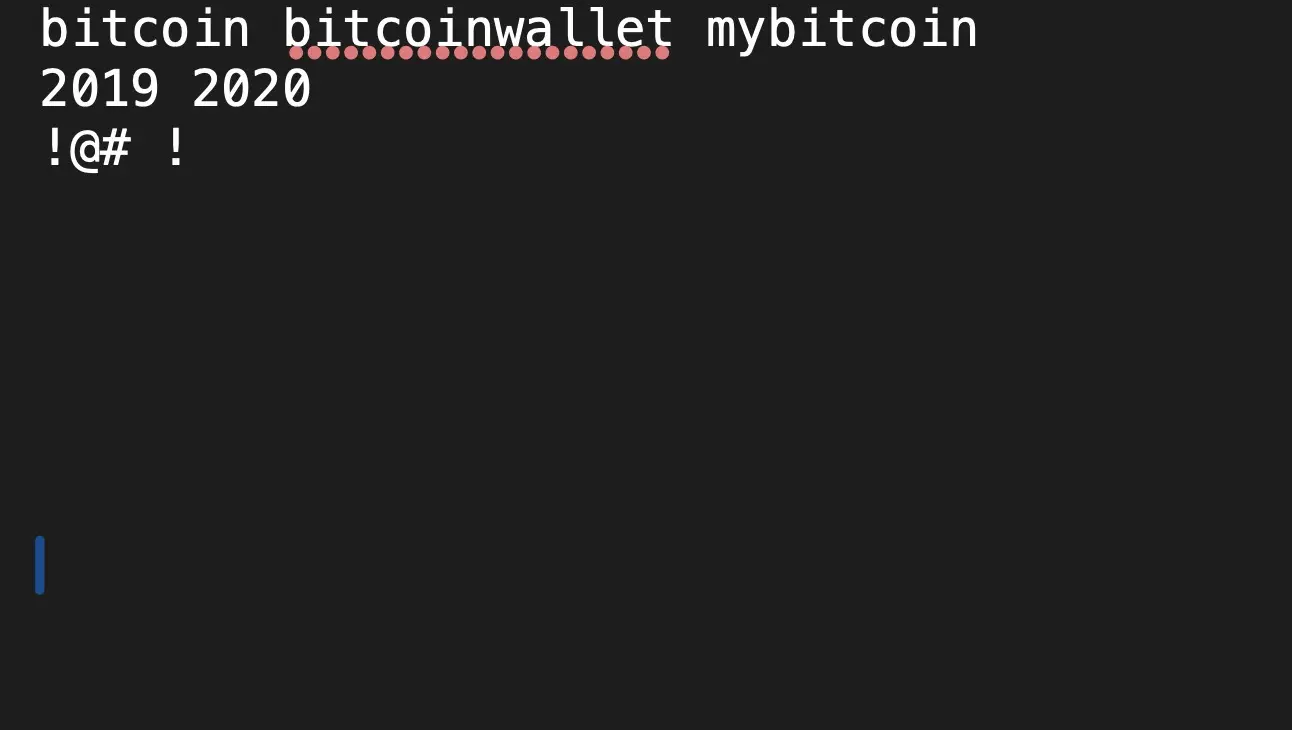
BTCRecover, step by step
- Write the base words you remember — the roots of the password.
- Put numbers and symbols in a separate token list.
- Decide what to mutate: years, symbols, both, with or without.
- Define the likely structure: base + year, base + symbol + year, etc.
- Start with small variations and expand.
- Configure the wallet type (Bitcoin Core wallet.dat, hardware wallet, Electrum).
- Run it offline against a copy of the file.
A well-structured hint list can focus the search: the more random the password structure, the larger the search — which is exactly where professional help becomes realistic.
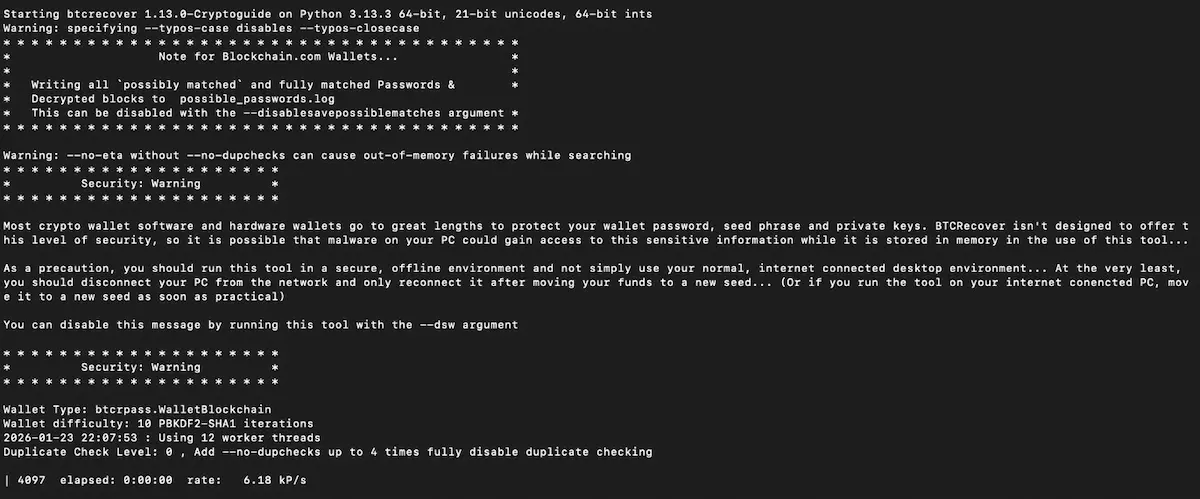
The honest scale
A worked example makes the limit concrete. A base word from a list of 10,000 possibilities plus a four-digit year is about 100 million candidates: hours of runtime, not luck. A twelve-character password using all character classes is about 94¹² ≈ 4.7 × 10²³ candidates — no amount of hardware clears that in a useful time. What you remember decides which end of that range your case sits on, and that's what an assessment is for.
What you should never do
- Never upload wallet.dat, the extracted hash, or your password guesses to a website that offers to "check" or "recover" them.
- Never test guesses repeatedly on your only copy of the file — work on a copy.
- Never pay a service that promises a guaranteed result or asks for your seed phrase through a form or chat.
When professional help makes sense
If you have the encrypted file, professional recovery adds what's impractical to run at home: GPU-accelerated searches, encoding and keyboard-layout variants, and experience judging which cases are worth pursuing before you commit. We've been running these searches since 2019, on a no recovery, no fee basis: no upfront charge, and our fee is success-based and agreed in writing, paid only after success. You always move your own funds — we never take custody; after recovery you transfer everything yourself to a new wallet you control.
FAQ
Can Crypto Recovers help if I have no clues about my Bitcoin password?
Not usually. Without any clues, the search has to try every possibility, and the numbers above show why that fails: a twelve-character password alone could mean 4.7 × 10²³ candidates, far beyond what any hardware can test. Before assuming it's gone, look for the password itself — a note, a password manager, an old email; more cases are solved that way than by breaking the encryption.
Do I need the password if I have my seed phrase?
Not if the password only encrypted the local wallet file. If it also serves as a passphrase for wallet derivation, as in Wasabi, you need it too when restoring from the recovery words. If no passphrase was set, no additional one is needed.
How long does Bitcoin password recovery take?
It depends on what you remember and the wallet type. A good candidate list on a wallet.dat can finish in days; complex cases with fewer remembered password details can take weeks or months. After the assessment you get a realistic estimate — never a guarantee.
What if I completely lose my Bitcoin password?
If you have a recovery phrase or another backup, you may still access the wallet.
Is it safe to give my password hints to a service?
Under a written agreement and an NDA, yes — and where the format allows it, the search runs against extracted hash material rather than your password or the original wallet file. Never send hints, files or passwords through forms, chat or email.