
Blog
Can't Access Your MyEtherWallet (MEW)? How to Get Back In

In short
MyEtherWallet recovery depends on how the wallet was created: a recovery phrase, a keystore file and its password, an existing private key, or a connected hardware wallet can provide different routes. MEW cannot reset missing private keys or recreate a lost backup.
Choose software that supports the material you actually have. MEW Mobile accepts recovery phrases, not direct keystore or private-key imports; MEW recommends its offline method for those sensitive software access routes. Connect hardware wallets through their supported integration rather than entering their words into a webpage. If the wallet opens but assets are missing, compare the original address, network, account and token display before assuming recovery failed.

If you’ve been locked out of your MyEtherWallet (MEW) account, your funds are almost certainly still on the blockchain, untouched. MEW is an Ethereum wallet interface that lets you hold ETH and ERC-20 tokens directly on the blockchain. It’s a non-custodial wallet, which means you’re the only person responsible for your private keys and seed, but it also means the money itself lives on the blockchain and MEW is only the interface you use to reach it. The safest way back in is through the MEW mobile app, the Enkrypt browser extension or a hardware wallet rather than the website, because a private key typed into a browser tab can be exposed.
“MEW recovery is one of the easiest places to get tricked in crypto. Before you type your seed phrase, private key, or keystore file anywhere — make sure you’re on https://www.myetherwallet.com/. These fake sites look exactly like the real thing. The second you type your phrase in, it’s gone. Never enter anything on a site you got to through an ad, a link someone sent you, or a search result you’re not 100% sure about. When you’re not sure — just type the address in yourself. That one habit has saved more people than anything else I know.”
— Robbert Bink, Founder of Crypto Recovers
How to Recover MyEtherWallet
Four things can get you back in, and each has its own section below: the seed phrase, the keystore (.json) file with its password, the private key, or a hardware wallet with the seed restored onto it.
Watch out for recovery scams: Fraudulent “wallet recovery” services are widespread. Red flags include: unsolicited contact, upfront fees before any work is done, guaranteed results, requests for your full seed phrase or private key via email or chat, and no verifiable track record.
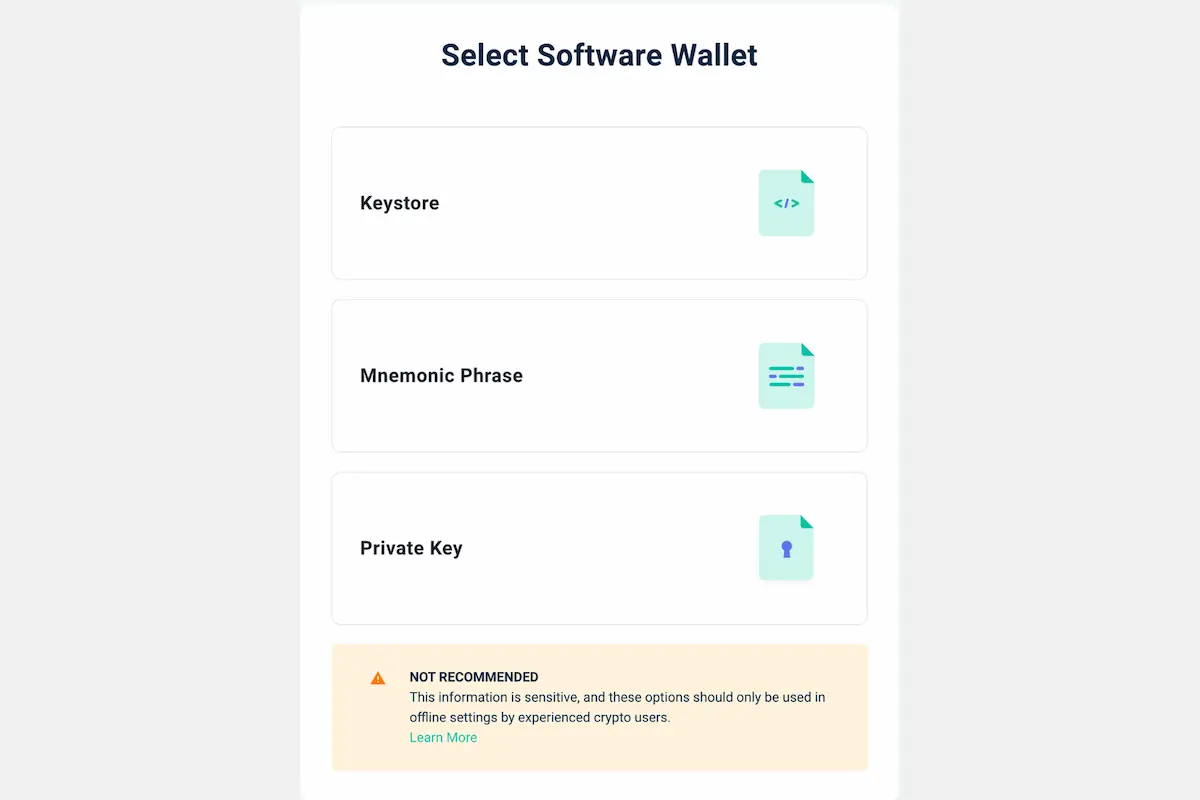
Access MEW Funds Using Seed Phrase
Valid seed phrase recovery is the safest and easiest path back in. The words must be in the same order as when you first received them; the setup asked you to confirm that order for exactly this reason. Take your time, look carefully for typos, and remember: even a single wrong letter will make the entire phrase invalid.
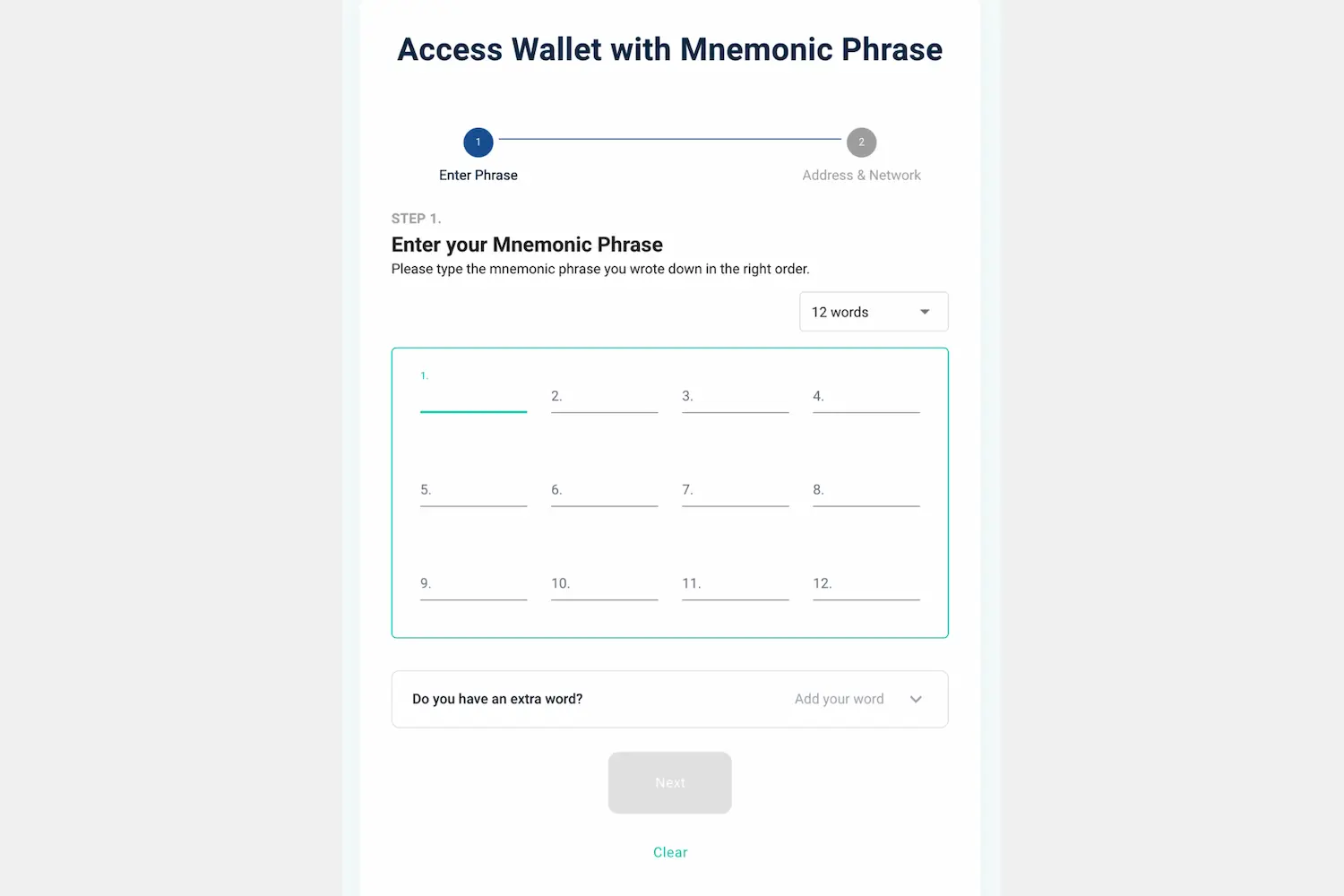
Where you type the phrase matters as much as the phrase itself. On MEW’s own access screen the three software routes — “Keystore File”, “Mnemonic Phrase” and “Private Key” — carry the label “NOT RECOMMENDED”, because each one puts your key inside a browser tab. MEW’s advice is to use something that keeps the key away from the internet instead: a hardware wallet, its mobile app, or its Enkrypt browser extension.
Work down this list and stop at the first route you can use.
- Hardware wallet. MEW connects to Ledger, Trezor, KeepKey, CoolWallet and BitBox02. Restore the phrase onto the device, then plug it in: the words go into the hardware, never into a web page. The connection steps and the derivation path settings are in the hardware wallet section below.
- The MEW mobile app. Open it, tap “I already have a wallet”, then “Continue”, and type the words in order. Create a PIN and re-enter it, and you’re back in. Phrases of 12, 15, 18 and 21 words all work, so enter however many you have. Keystore files and private keys don’t work here; the app doesn’t support them.
- Enkrypt, MEW’s browser extension. Install it from your browser’s extension store, then restore your existing wallet from the recovery phrase. A keystore file or a private key goes in afterwards, as an imported account.
Typing the phrase straight into MEW in an ordinary browser tab comes last, and MEW says so itself: if you use a software method at all, use it with MEW offline, the downloadable copy covered in the next section.
One habit protects the whole procedure. Type myetherwallet.com into the address bar yourself, bookmark it, and use the bookmark every time after that. Fake MEW sites copy the layout exactly, and phishing domains hide accents and lookalike characters that pass at a glance. A phrase typed into one of them is gone in seconds.
If you’re missing a few words or can’t quite get the order right, the phrase may still be reconstructable: each missing word is one of 2,048 candidates, and candidate phrases can be tested systematically against your public address. The troubleshooting section below says what that search needs.
Recover MyEtherWallet Using Private Keys
This method needs a valid private key that you already have, and exposing it even once can put the funds at risk. If the seed phrase is gone completely, it may be your last route in.
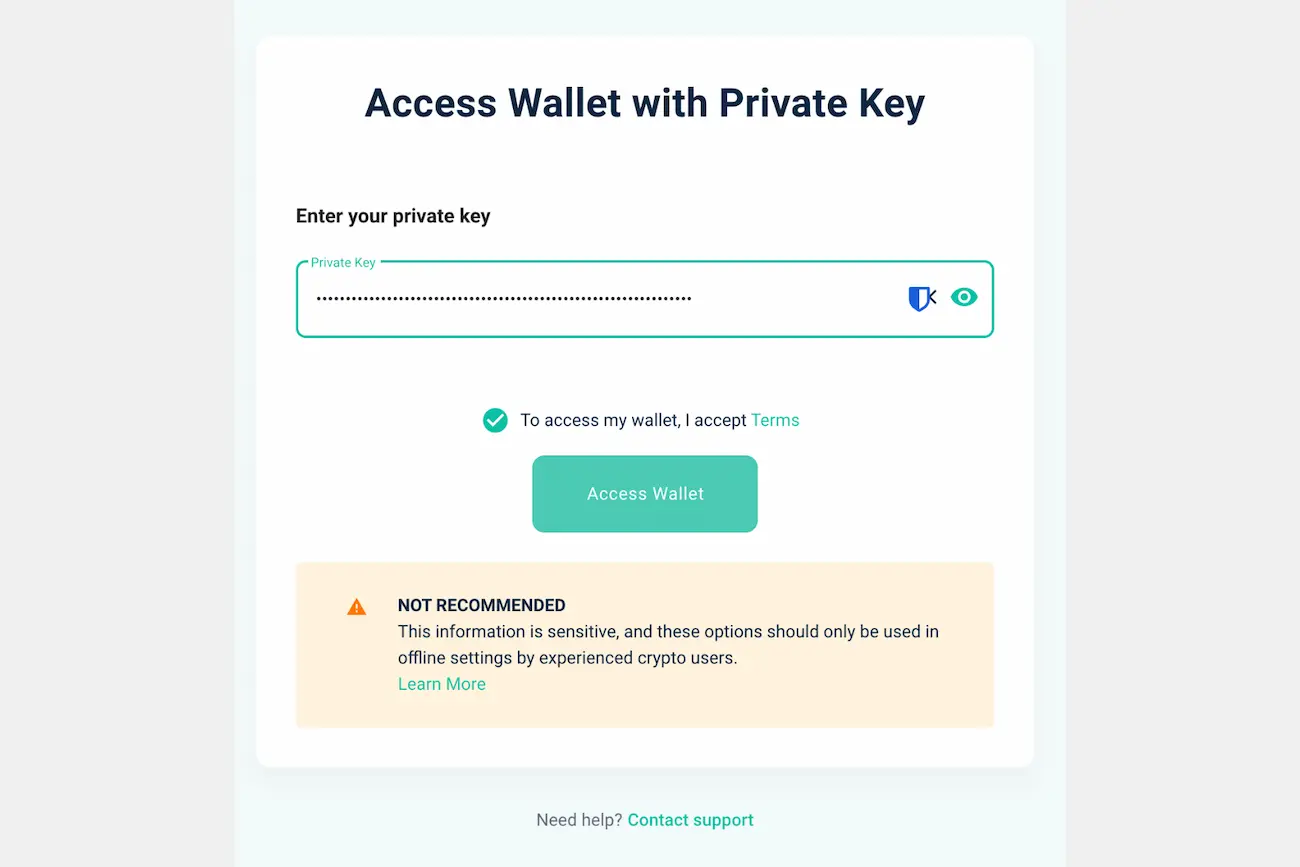
The private key is a 64-character string and may start with 0x.
Recovery steps:
- Get MEW offline first. You can’t open a website with the network switched off, so MEW publishes a downloadable copy of its older v6 interface for exactly this. From a computer that is online, go to github.com/MyEtherWallet/MyEtherWallet, open Releases and find the newest v6 release: the v7 releases don’t include the offline files. Download the Offline zip listed under its assets, along with the SHA-256 checksum published beside it, so you can confirm the download arrived intact.
- Move the zip to the offline machine on a USB stick, unzip it there, and open “index.html” in a browser. That is MEW, running from the file, with nothing connected.
- Choose “Software”, then “Private Key”.
- Paste the private key and accept the wallet terms.
- If the key is correct, MEW opens the wallet. It won’t show a balance, because the offline copy can’t read the chain — check the address on a block explorer from the online computer instead.
If a second machine isn’t realistic, MEW’s other suggestion is Enkrypt: set the extension up first, then import the private key as an extra account. That still runs in a browser and doesn’t replace an offline machine, but the key goes into the extension rather than into a web page.
A private key that has been typed into a browser should be assumed exposed: move the funds to a fresh wallet right away and don’t use that key again.
Recover MEW with Keystore / JSON File + Password
You’ll need your keystore file with the .json extension. Here’s how to use it:
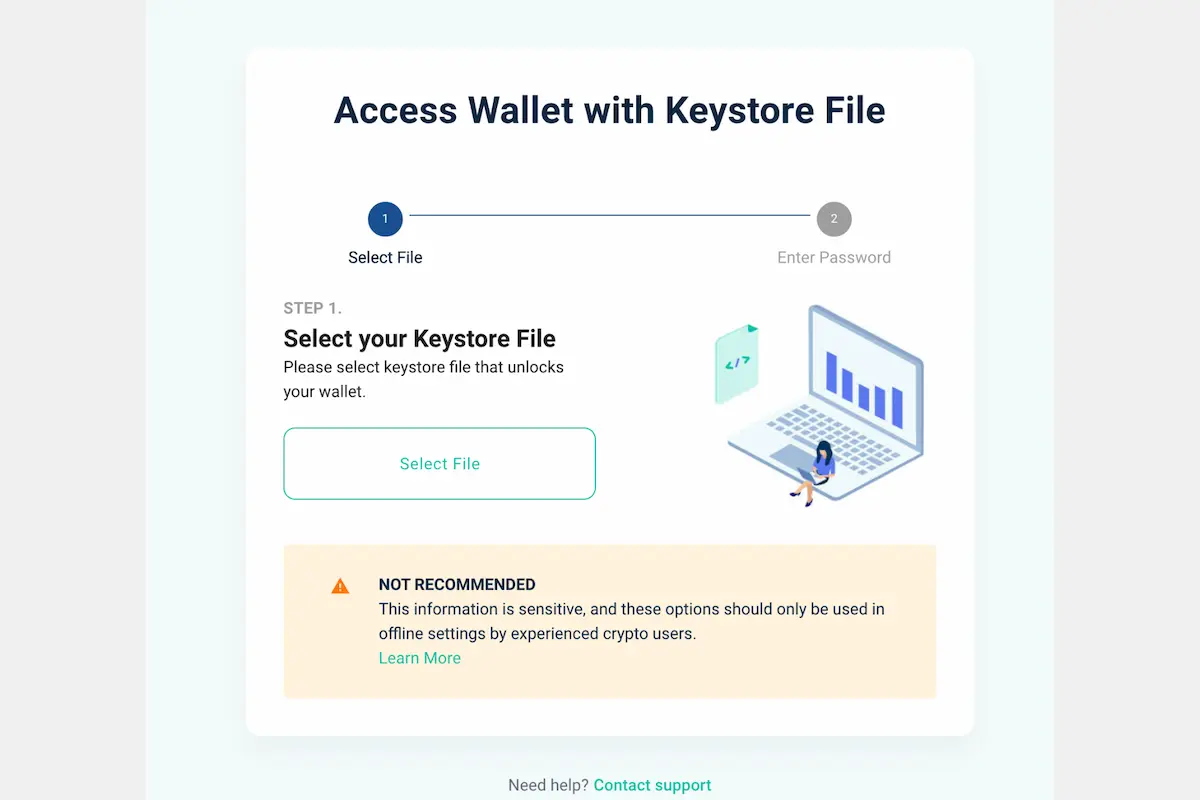
- Open MEW and select “Software.” MEW puts the keystore route behind the same warning as the private key, so use the offline copy from the previous section where you can.
- Choose “Keystore.”
- Click “Select Wallet File” and locate your .json file.
- Enter your password.
- Click “Access Wallet.”
- If the password is correct, you’ll be able to view your balance and perform transactions.
If the password is gone, the search for it depends on what you still remember of it; the troubleshooting section below covers that and the corrupted-file case. Default locations for keystore files:
- Windows: C:\Users\<YourUsername>\Downloads\
- MacOS: /Users/<YourUsername>/Downloads/
- Linux: /home/<YourUsername>/Downloads/
Recover MEW Wallet Through Hardware Wallet
This is the safest method and minimises the risk of phishing attacks. Here’s how to go about it:
- Plug your hardware device into your computer and enter your PIN.
- Open MEW and choose the hardware wallet option.
- Select your specific device and follow the on-screen steps. Each hardware wallet works slightly differently — connect Ledger via Bluetooth or USB, while BitBox can only be connected through USB.
- If your funds don’t appear, you may need to set the correct derivation paths for Ethereum: m/44'/60'/0'/0 or m/44'/60'/0'
Trouble During MEW Recovery?
These are the five problems that come up most often, and what to do about each.
Invalid MEW Seed Phrase?
If your seed phrase isn’t being accepted, the first step is to verify each word against the BIP39 wordlist, the set of 2,048 words every valid phrase is drawn from. Look for typos, and where a word is close but not on the list, look for the list word it was meant to be: the first four letters of each BIP39 word are unique to it, which narrows a misread word to a short list of candidates.
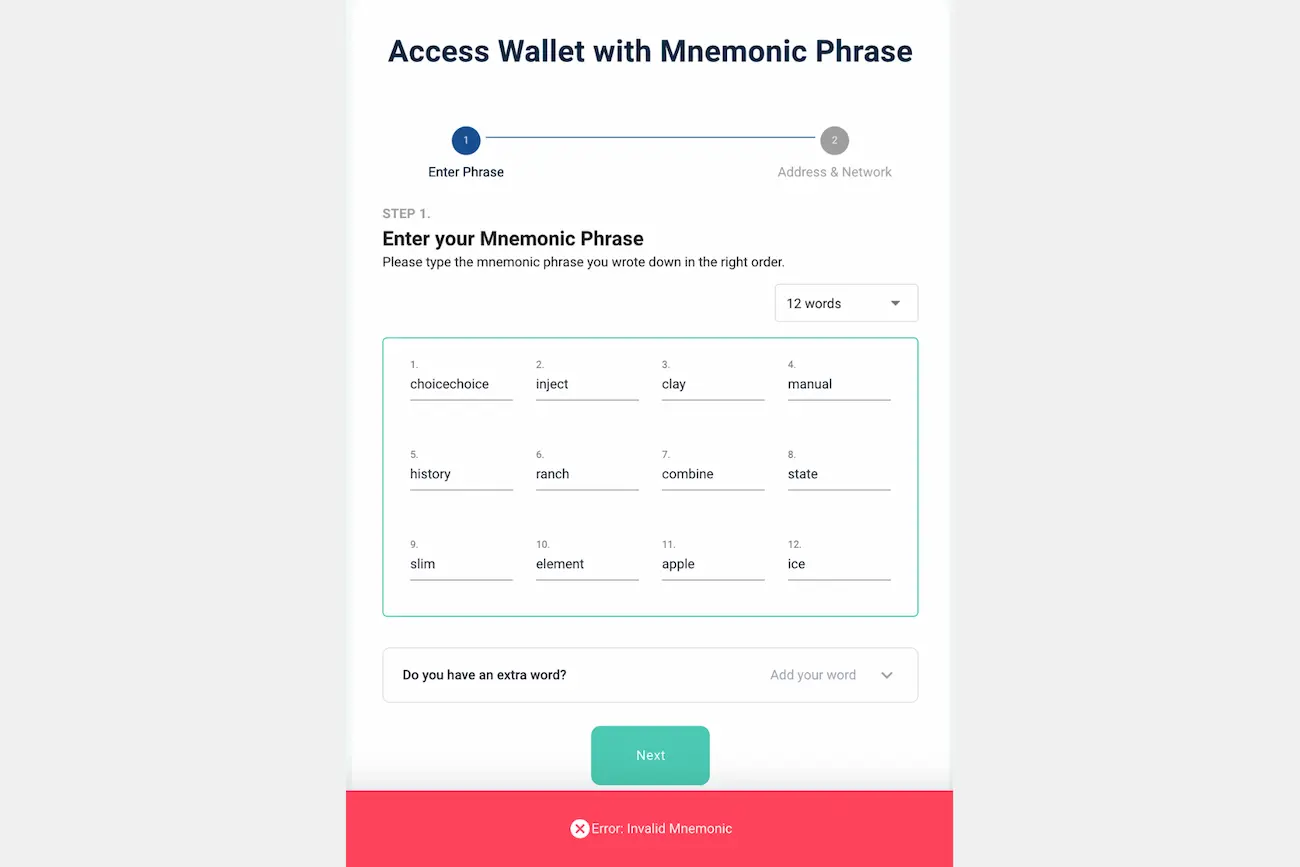
If more than four words are wrong or unknown, the search grows quickly and the work gets long. If the phrase is gone completely, with no words, no keystore file and nothing written down anywhere, there is no route back in — not with specialist tools, not with anyone’s software. A 12-word phrase is drawn from that same 2,048-word list, which gives roughly 5.4 x 10^39 possible orderings. No hardware searches a space that size.
What specialist tools do is narrower, and it depends on something surviving: the words you still have, an order you half-remember, a keystore file, a private key, or a public address to test candidates against. Without one of those there is nothing to narrow the search with. How much each surviving piece narrows it is worked through in the missing-word guide.
Forgotten or Lost JSON File Password?
A JSON password is whatever you chose when you created the file, typically letters, numbers and special characters, and the file itself holds no hint of it. So before assuming it’s lost, search thoroughly: old notebooks, password managers, emails you sent to yourself, and any records from around the time you created the wallet. Try passwords you may have used back then.
If that turns up nothing, the search becomes systematic: candidate passwords built from whatever you do remember (a base word, a habit, a length) are tested against the file. The case at the end of this page is one of those searches.
Corrupted Wallet Keystore File?
A wallet file can be invalid for a few reasons: an incomplete download, disk errors, or accidental renaming. Work on a copy, never on the original, and keep more than one backup.
If the file won’t open, restore from your seed phrase instead if you have it. If you don’t, the file is what is left, and what can be done depends on which part of it is damaged. A keystore is a small text file holding the encrypted key, the parameters that turn the password into the decryption key, and a check value. Damage to the formatting around an intact encrypted key can usually be repaired; if the encrypted key itself has been overwritten, no one can bring it back.
Tokens Missing from MyEtherWallet?
Your Ethereum is still on the blockchain. MEW only displays popular tokens by default. Less common tokens like USDT, LINK, or custom tokens need to be added manually. To confirm your tokens still exist, copy your wallet address and check it on Etherscan — your full holdings will be listed there.
If you’re using a hardware wallet to restore access to Ethereum, you may need to scan through all associated addresses.
MyEtherWallet Not Showing Balance?
When MEW shows a zero balance, your funds are still safe on the blockchain. This almost always happens because you’re viewing the wrong address or connected to the wrong network. Check the wallet address against Etherscan and, on a hardware wallet, the derivation path (see the hardware wallet section above).
When to Consider a Professional Recovery Service
If you’ve worked through every option above and you’re still stuck, specialist wallet recovery services do exist. They typically work on cases involving partial seed phrases, forgotten JSON passwords (where you can provide some clues), and corrupted keystore files. No recovery service can guarantee results; one that does is a warning sign.
Before engaging anyone, three checks. Recovery attracts scammers, so be sceptical of any service that contacts you first, promises a result, or asks for your full seed phrase or private key before anything has been agreed; a legitimate service explains its process before any credentials change hands. Look for independently verifiable reviews and a plain description of the method. And read what you’re agreeing to: the fee structure, what data they will and won’t retain, and whether they work under formal terms.
An initial consultation should cost you nothing but time, and it is worth having even when the answer is that recovery isn’t possible.
How Crypto Recovers Recovered a JSON Wallet Password
Forgotten JSON file passwords are among the most common recovery scenarios we encounter. A client who came to us in 2025 had bought Ethereum in 2017, stored it in MyEtherWallet and left it, expecting to open the wallet after retirement. When ETH surged in 2021 he looked: the seed phrase was gone and the password wasn’t coming back. Four years later he contacted us.
There was nothing to pay upfront. He came to the office and talked the situation through in person.
The recovery took close to a month. His password turned out to be a modified version of one he had always used for social media: the same base, with extra symbols and letters added, the kind of change people make when forced to be “more secure” and then forget. He remembered the base. Our tools worked through the likely permutations until the right combination surfaced, and ten Ethereum, untouched since 2017, became accessible again.
A keystore file and a password you can almost remember is a search with a starting point. That is the case to bring to an assessment.
FAQ: MyEtherWallet Recovery
How do I find MyEtherWallet private key?
You can only view your MEW private key if you still have access to the wallet through a keystore file and its password or a seed phrase, and only in MEW’s legacy web interface: the current version at myetherwallet.com no longer shows private keys at all, and the MEW mobile app cannot view or export them either. Open the legacy MEW Portfolio at myetherwallet.com/wallet/access, choose “Access my wallet” and then “Software”, unlock with the keystore file or the phrase, then click the arrow next to “Portfolio value” on the account card at the left of the screen and choose “View Paper Wallet”. Do it offline where you can, using the downloadable v6 copy covered earlier in this article.
What happens if I lose MyEtherWallet private key?
If you’ve lost your private key and have no backup at all — no keystore file, no recovery phrase — then unfortunately there’s no path back in and the funds cannot be recovered. If you still have the seed phrase, you can restore the wallet without the private key.
Why is MyEtherWallet and Ledger not connecting?
MEW usually fails to connect to Ledger for one of a few reasons: the Ethereum app isn’t open on the device, blind signing (contract data) is disabled, the firmware or Ethereum app is out of date, or the browser is blocking WebUSB. Work through those one at a time and you should find the issue quickly.
How do I access an old MyEtherWallet?
To access your old MyEtherWallet (MEW), go to the official site and choose “Access my wallet,” then unlock it using your original private key, keystore (JSON) file + password, recovery phrase, or connected hardware wallet.